See what is weak before you publish.
Review search and AI-answer checks (SEO, GEO, and AEO) for structure, direct answers, evidence, and metadata. These checks do not guarantee rankings, traffic, or citations in AI answers. If you connect Search Console, those observations can inform what to work on next.
Example workspace · Sample content
Review the full draft
Sample article, “Choose an automation approach for your actual workflow.” This full draft is unapproved, and no delivery is selected. Read the article, what changed, the quality findings, and the sources.

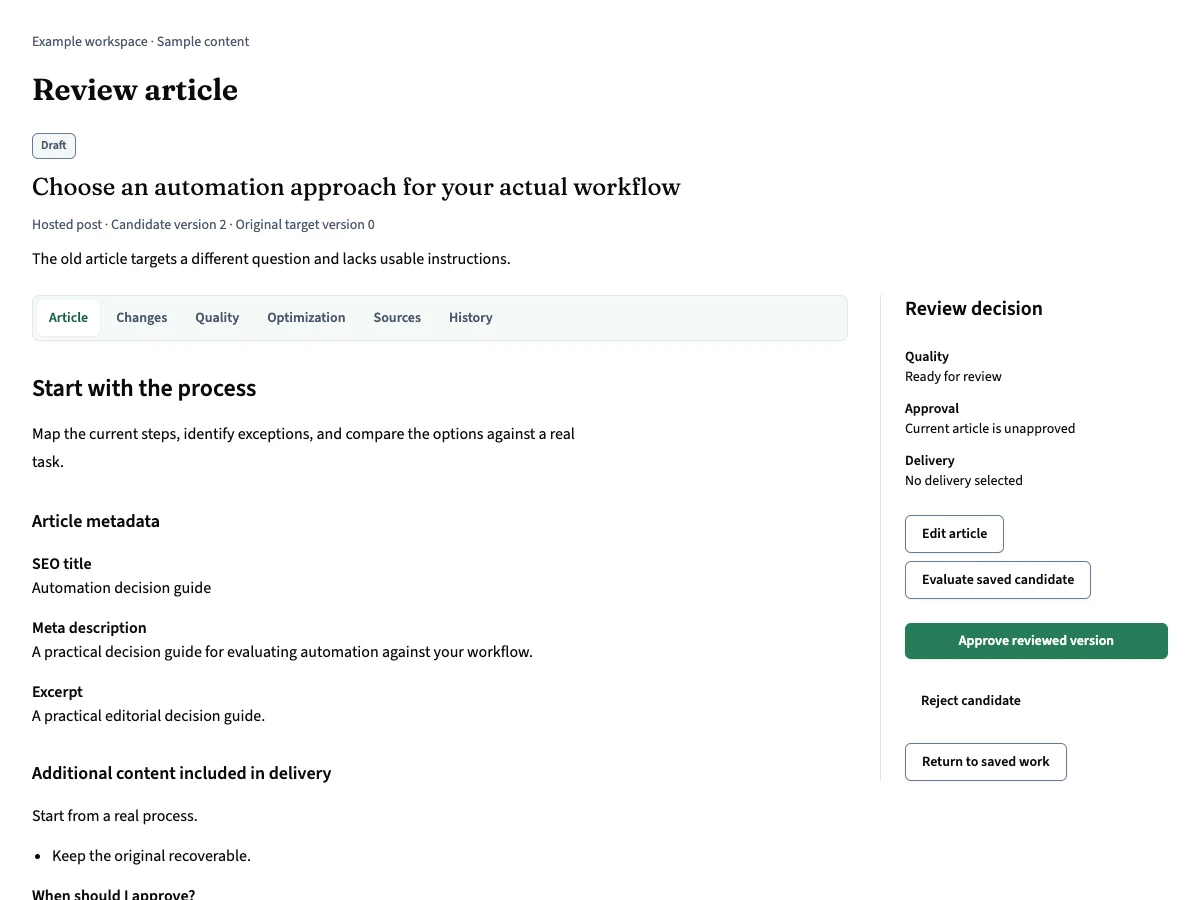
How a draft gets checked.
- 1
Choose the search angle and the keyword the article should serve.
- 2
Review the headings, metadata, structure, and how well the article covers the topic.
- 3
Connect Search Console when you want the queries people already use.
What you get
- Metadata you can review
- SEO, GEO, and AEO findings
- Evidence and answer checks
- Optional Search Console observations
You can see the weak spots before you choose delivery.
- You publish often and want a check before the article leaves the draft.
- You want search and answer quality in the same place as the writing.
- You have search data and want it to inform the next article.
Works well with
- Next actionsSee what to improve next, with the evidence and the gaps written down.
- Create and improveCreate a full draft, or improve an article you already have, including the title, structure, body, and metadata.
- PublishingPublish an approved hosted version, choose the earliest time it may go out, or export it for your CMS.
Start with your site, then choose the next action.
Add your website and confirm its context. Import pages or add sources, then choose the work in Next actions. Setup does not turn on automation or publish anything.
Account setup does not purchase a subscription.