You choose when an approved article goes out.
Publish an approved version on the hosted blog you configured, or export an approved page for your CMS. Approval is separate from publication. The date and time you pick is the earliest it may go out, and a once-a-day publishing check can publish it a day or longer later.
Example workspace · Sample content
Choose hosted delivery
“Choose an automation approach for your actual workflow,” after approval. Approval is separate from publication. Confirm hosted delivery, or set the earliest time it may go out. A once-a-day publishing check can deliver it a day or longer later.

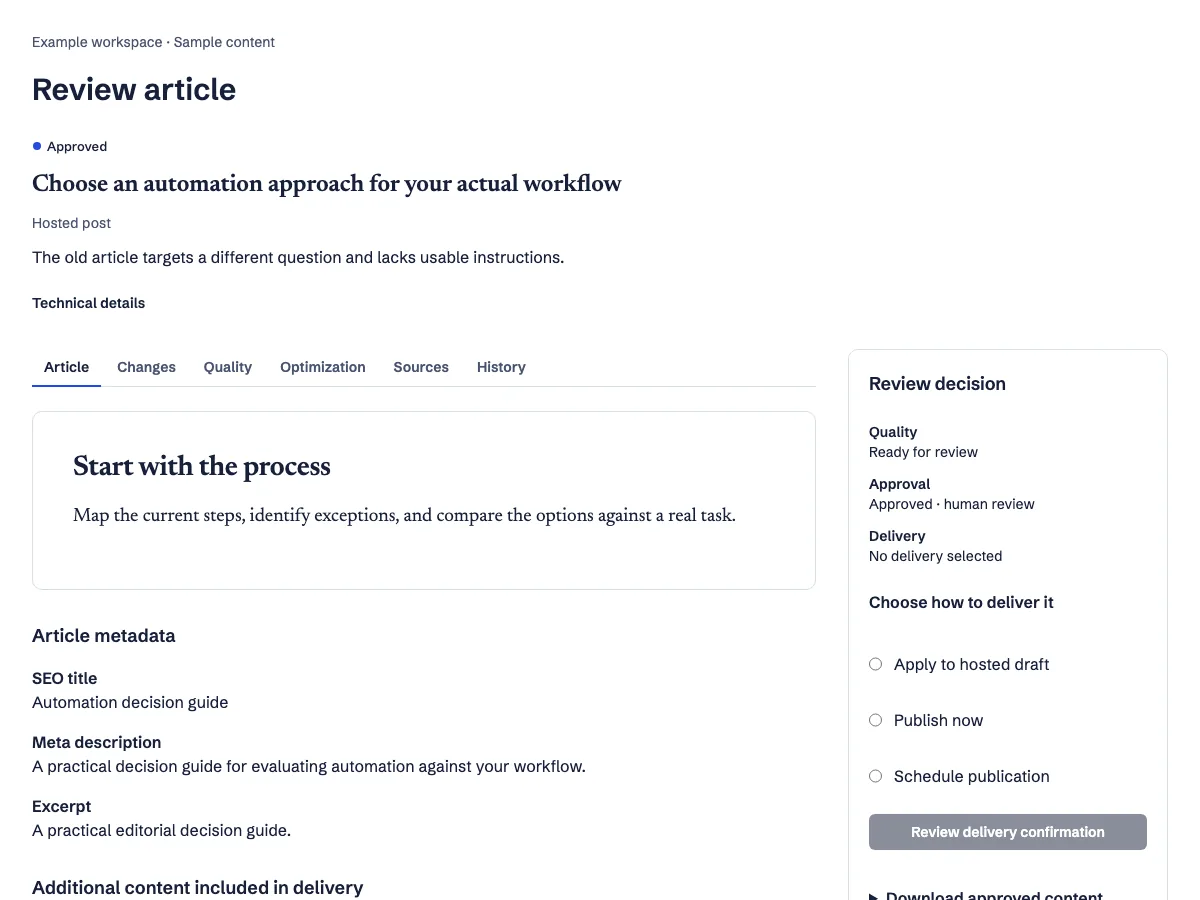
How an approved article goes out.
- 1
Read the full draft and its evidence, then approve the version in front of you. Approval is separate from publication.
- 2
On a hosted blog, publish that approved version or choose the earliest time it may go out. A once-a-day publishing check may publish it a day or longer later.
- 3
For an imported website page, apply the approved revision and export HTML or Markdown. Export for your CMS, then publish it there. Your external website stays unchanged until you do.
Export for your CMS
Apply an approved revision inside Blog Pro Max, then download HTML or Markdown. Your external website stays unchanged until you publish that file yourself.
Example workspace · Sample content
Export for your CMS
“Choose an automation approach for your actual workflow,” as an approved imported page. Export for your CMS as HTML or Markdown. Your external website stays unchanged until you publish the file there.

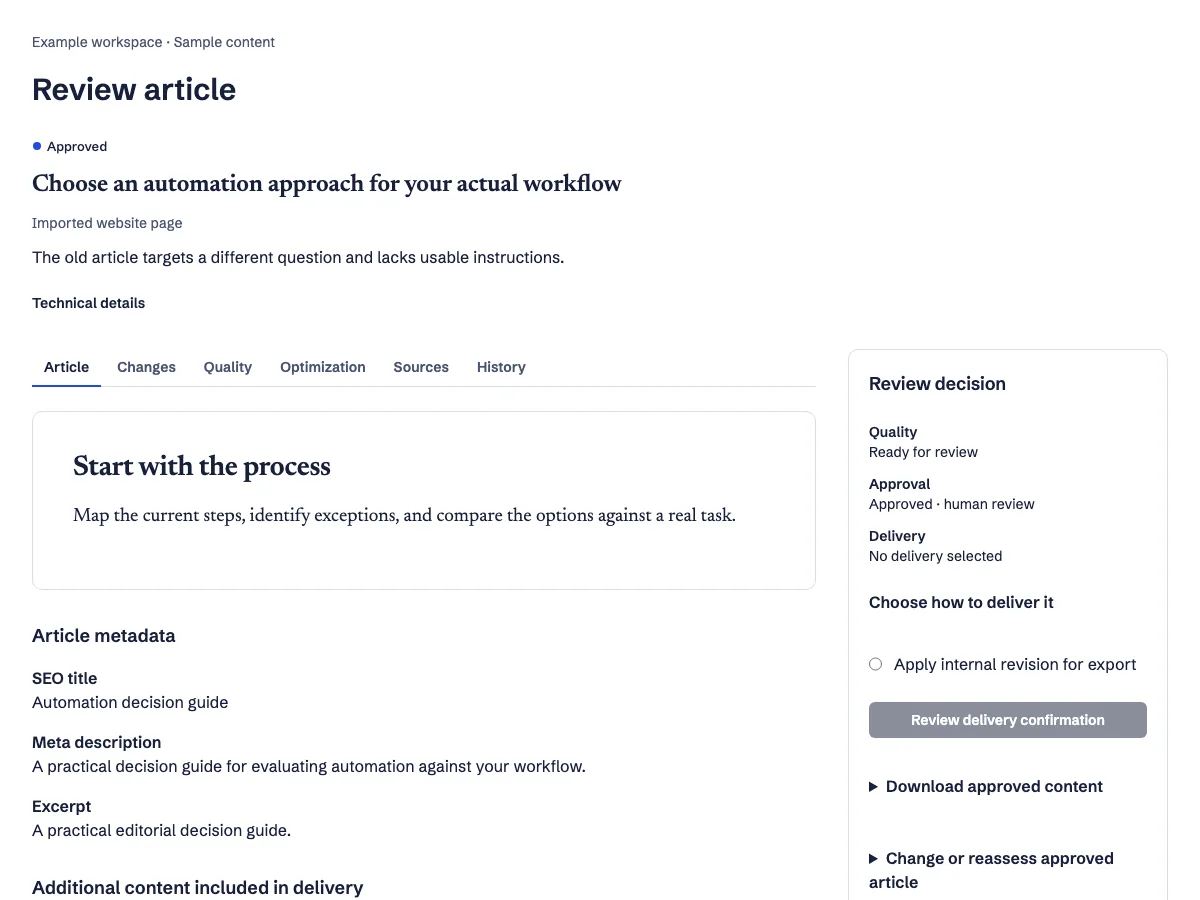
What you get
- Hosted publication you confirm
- An earliest time you choose
- HTML and Markdown export
- Automation only when you allow it
Approval and delivery stay separate decisions.
- Drafts get approved and then sit, because publishing is a separate chore.
- You run more than one website and want the same delivery choice on each.
- You want a cadence you control, including an earliest time rather than a surprise publish.
Works well with
- Next actionsSee what to improve next, with the evidence and the gaps written down.
- Create and improveCreate a full draft, or improve an article you already have, including the title, structure, body, and metadata.
- Quality checksReview search intent, evidence, structure, direct answers, readability, and metadata.
Start with your site, then choose the next action.
Add your website and confirm its context. Import pages or add sources, then choose the work in Next actions. Setup does not turn on automation or publish anything.
Account setup does not purchase a subscription.